Velum 0.9.0: permanent redaction
There is a particular kind of leak that keeps happening to people who were being careful. Someone opens a contract, draws black rectangles over the names and the account number, saves it, and sends it out. The document looks redacted. Anyone who selects the text under those rectangles gets the names and the account number back, because the words were never removed. A shape was placed on top of them.
This has happened to court filings, government releases and corporate disclosures, repeatedly, for two decades. The tooling makes it easy to do the wrong thing and gives you no signal that you did.
Velum 0.9.0 adds a third mode to the Files tab: Redact permanently.
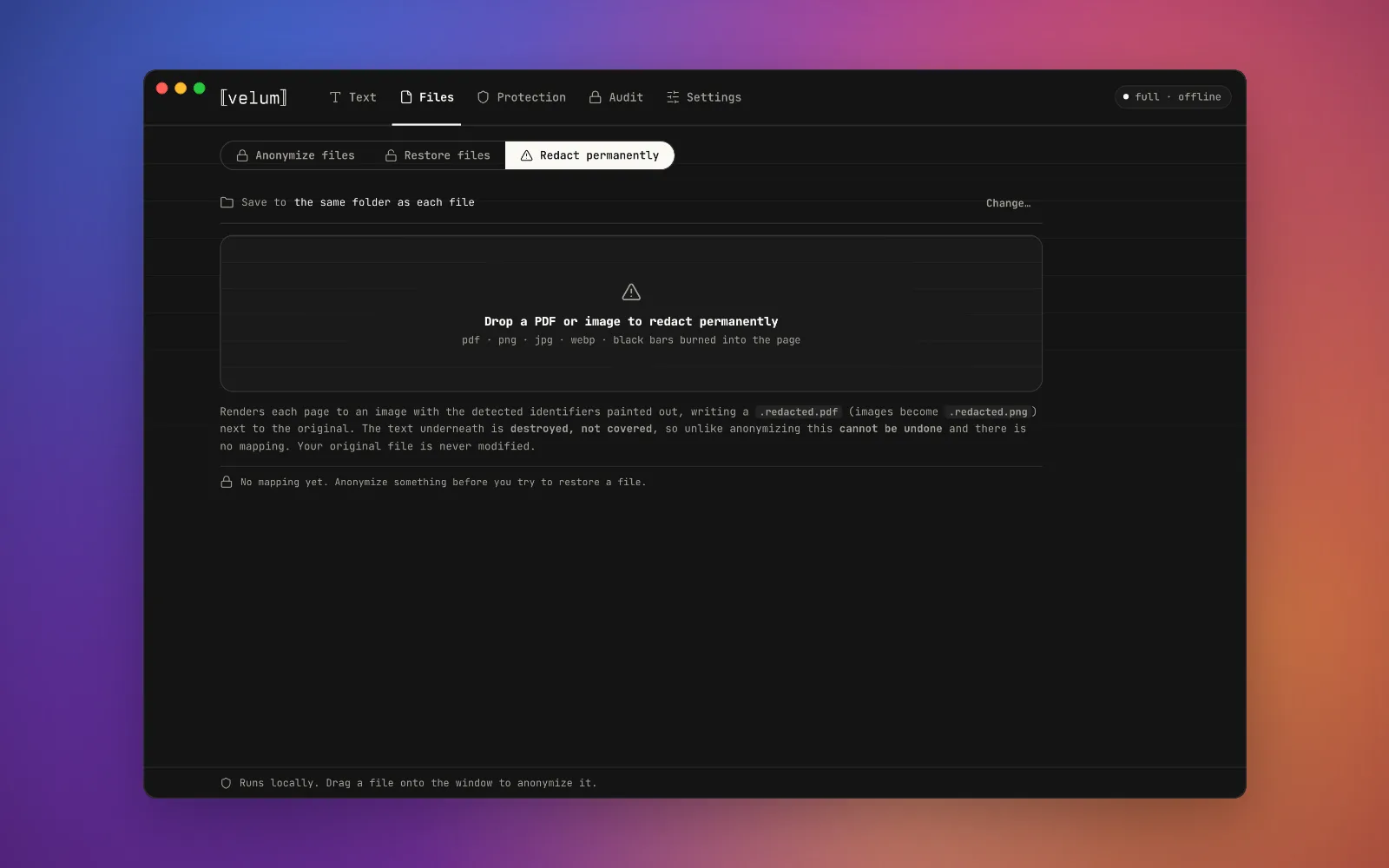
Redact permanently sits beside Anonymize and Restore, and says plainly what it does to the file.
What it actually does
Velum does not draw anything on your PDF. It renders each page to an image, paints the bars onto the pixels, and rebuilds the document from those images. What sat under a bar is not hidden in the output. It is not in the output at all, in any encoding.
You can check this yourself on the file Velum gives you. Select the whole page and copy it. Nothing comes out, because there is no text layer left to copy from.
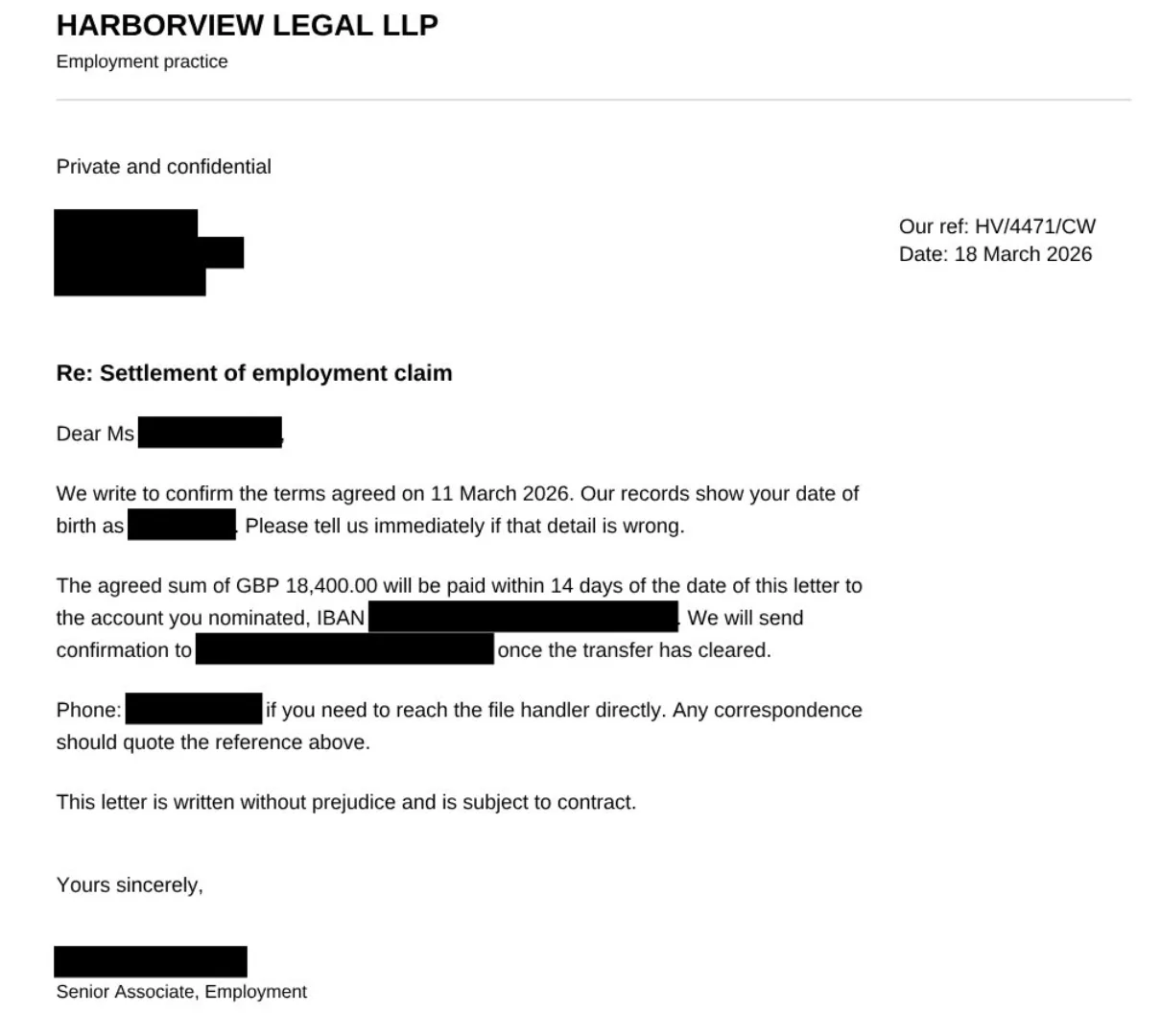
Every identifier is gone from the file, not covered up. The reference number, the amounts and the terms are untouched, so the document still says what it needs to say.
Rebuilding the file has a second effect worth knowing about. Document metadata does not survive. XMP and document info routinely carry the original author, the title, and a trail of earlier revisions, none of which appear on the page and all of which travel with the file. A redaction that leaves those in place is only half done.
The costs, stated plainly
This mode is not better than masking. It is different, and it takes something away:
- The output has no text layer. It is not selectable, not searchable, and not readable by a screen reader.
- The file gets larger, because every page is now an image.
- There is no mapping and no undo. Every other operation in Velum is reversible, by design: text becomes tokens, the mapping stays on your machine, and the original comes back when you ask. This one has no inverse. That is the whole point of it, and it is why the app asks you to confirm before it runs.
Your original file is never modified. Velum writes a new one beside it.
Images too
A PDF carries its own text layer, so redacting one is a lookup. An image carries nothing, so on-device OCR does both halves of the job: it reads the text so the detectors have something to check, and it reports where every word sits so there is something to paint.
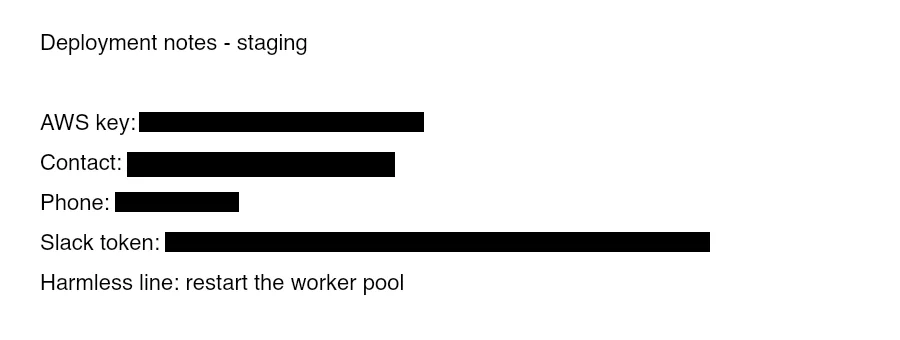
A screenshot of deployment notes. The labels stay readable, the values do not.
Re-encoding the image has a useful side effect: EXIF does not survive. That metadata often carries GPS coordinates, which is not something most people think about when they share a photo of a document.
Why this mode needs Maximum detection
Permanent redaction only runs on Velum's strongest detection tier, and that restriction is deliberate.
A redacted page carries authority. Someone who sees a row of black bars concludes the document was reviewed and cleared. There is no visual difference between a value that was deliberately kept and a value the tool failed to find. If masking misses something, you can see it and run it again. If this mode misses something, the file has already been sent, wearing the appearance of diligence.
We set the floor by testing rather than by taste, and we got it wrong first. The gate originally allowed the middle tier. On a real vehicle registration document, that tier returned two detections and missed the registered owner's name completely. The strongest tier returned five, including the name. A page of confident black bars with the owner's name still legible is worse than a tool that declines the job, so the middle tier is now refused as well. If your detection setting is lower, the mode tells you why and offers to change it for you.
Also in 0.9.0
The Audit tab. Credentials and personal data accumulate in places nobody chose to put them: AI assistant chat histories, shell history, config files and dotfiles, clipboard manager databases, screenshots, documents. Audit scans those surfaces, splits what it finds into secrets you should rotate and personal data you can mask, runs in the background, and keeps past scans so you can compare against them.
Two fixes worth naming. Some PDFs name a font without embedding it, which government form generators do routinely. Velum was rendering nothing at all for that text while still reading every character from it, so redacted output came back with the values missing from the page. That is fixed, and the same bug was quietly affecting scanned-document OCR. Separately, redacted pages now keep the paper size of the original instead of coming out at double size and printing at the wrong scale.
Getting it
0.9.0 runs on macOS on Apple silicon. If you already have Velum, it will offer the update next time you open it.
0.9.0 is superseded. The download page carries the current build, signed and notarized by Apple, so it opens without a Gatekeeper warning.
Everything above happens on your machine. No page, no image and no identifier is uploaded to anyone, including us.